Showing posts with label thumbnails. Show all posts

24 September 2015

Use of shadows

The Secret Garden book cover


We were asked to design a book cover using a shadow as the primary feature of the design. I chose to illustrate the cover of the book "The Secret Garden" by Francis Hodgson Burnett. The book is about a lonely child, Mary, who finds solace in a secret garden she discovers in the home of her extended family where she is sent to live when her parents die in the early 1900's.

I looked on Amazon at different book covers for the book, and at different ways of using shadows.

I also investigated artists who use shadows, and remembered seeing a BBC documentary about Tim Noble and Sue Webster who create sculpture installations from found items which look like nothing until light is directed at them from a certain angle, and the shadow created can be seen (see below). It works because the resulting shadow is so surprising, and it is fascinating to think about how it is actually produced. It also makes a statement about waste and what we throw away in Western society, and how what one person sees as rubbish can be reused.

Youngman (http://www.timnobleandsuewebster.com/youngman_2012.html)


My idea was to use shadows in a positive way to symbolise light, warmth, and a new day. I wanted to use a keyhole surrounded by darkness, and when you peer through it you can see a sunny yellow garden and a long shadow cast from the swing in the garden. Swings also represent childhood and joy. My initial ideas are shown as thumbnails below.


I then looked on Google at different ways of drawing a swing - rope swings and frame ones, tyres and wooden seats. I wanted the design to look quite graphic with lots of contrast.

I was particulary inspired by this image (http://www.katespapercreations.com/2014/01/3d-shadow-box.html):


My idea was to update the cover to appeal to a more modern audience, but still retain the Edwardian feel of the novel, so I chose a cursive script to relate back to those times when children were taught to form letters in a standard way and everyone's writing look the same. I found lots of examples on dafont.com which were suitable http://www.dafont.com/theme.php?cat=602&page=3&text=The+Secret+Garden.

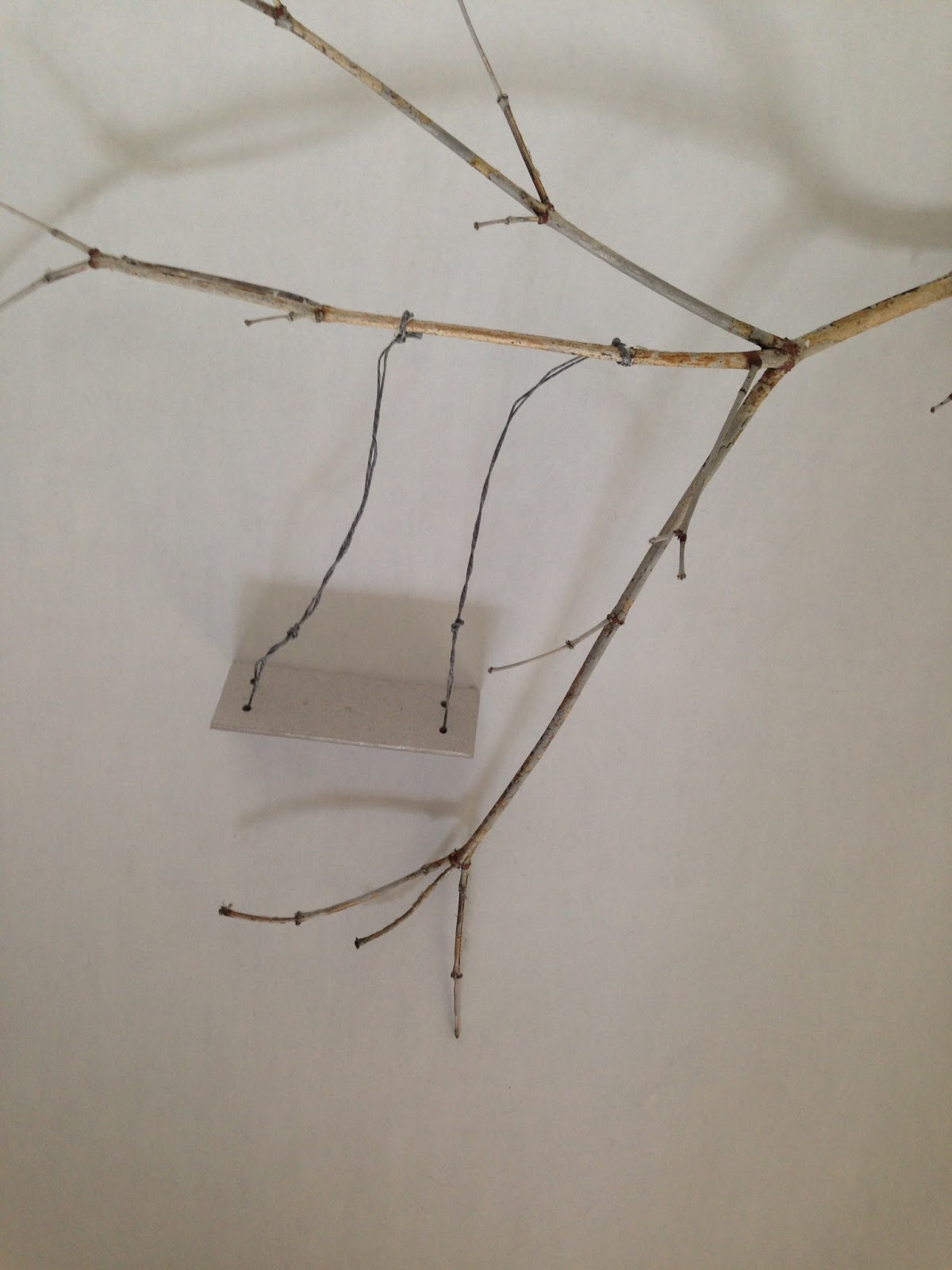
Initially I thought I would use Illustrator to draw the keyhole shape and add the photo of the swing and shadow in the hole, but decided to try to photograph the keyhole and swing together. I created a rough mock up of the keyhole shape cut from card (in 2 sizes) and the swing (card, waxed string, twig from the garden), to ascertain that the sizes were roughtly correct, and took some test shots. As these sizes worked, I then cut the keyhole from black card and experiemented with the positing of the light to cast an effective shadow. I tried to get the shadow to appear non-threatening and cheerful and evoke a feeling of warmth and sunlight.

My "studio" setup:


The swing and branch:


Some of my final shots before processing in photoshop:


I used a wide aperture (F2) to get the keyhole blurred but the swing in focus. The lamp was adjusted to make the shadow appear soft and less threatening.

Yellow was chosen for the only colour, because of it's connotation with sunlight, happiness, warmth and protection - the feelings that Mary has when in the Secret Garden.

I created several versions of the cover:

My favourite are the bottom two. However, I do quite like the top right design as it looks quite Penguin-esque. On the bottom left, I like the black and white with the bright yellow and the handwritten script. The typeface brings a more modern and friendly feel to the novel, and the yellow keeps the image from looking sinister. The bottom right cover has a photo of old script overlaid (suggested by Gemma!), and works well to bring another layer of interest and makes the image look more sunny. It contrasts well with the sans serif font, but the style of text could make the subject matter seem, incorrectly, for an older audience.

I made one final book cover which I think is the best because the typeface is friendly, but hints at a time when handwriting was more calligraphic, the yellow is sunny but not too orange, and the placement of the title is informal.  The author's name at the bottom is in Times New Roman which is easy reading for its target audience, but contrasts well with the title typeface. The white type looks interesting against the black and yellow. I think this is the best (of my covers) of a design which juxtaposes a shadowy photograph with a friendly feminine typeface, preventing the design from appearing ghostly.


16 March 2015

Packaging function

What is packaging for?

To protect the product from damage and contamination
To identify with name, brand, description
To contain the product and keep it together
To inform - price, ingredients, safety information
To sell - a marketing tool

Other things to consider are ergonomics and sustainable design.

Surface design is the flat design which goes on the packaging.

Thumbnails for additional packaging for Gordon's Gin:


My two ideas were:
1. Create a foldable chopping board which wraps around the bottle to chop up your lemons with. A knife could hold the board shut around the bottle.
2. Two leather coasters attached the the front of the bottle. The protection only would need to be on one face as when packed together, the front of one bottle would protect the back of the next one.

8 December 2014

Type and layout assignment 1 - flow

Poster 1 research - flow and visual hierarchy

I thought of 5 ideas for posters so decided to research and develop them all and then select the best 4 ones to work up to final pieces for the brief. The audience for these posters is graphic design students like myself so I wanted to pick imagery and typefaces that I thought might appeal to them.


When reading a page that is text heavy page with little or no points of interest, the Western eye typically reads down from top left to bottom right (Gutenberg diargram). Further research suggested that the eye enters top left  and reads in an F pattern or Z pattern across the page.  Within a graphically designed page, the eye is lead by the visual hierarchy of the document.  It is up to the designer to decide on the flow which is appropriate for the piece, and direct the eye accordingly. 


Generally there should be 3 elements to a poster – headline, content and call to action. Saturated, hot colours advance, cool colours recede.  Contrast, repetition, alignment and proximity contribute to defining a hierarchy.

The rule of thirds grid, and the rule of odds, contribute to visual harmony. Placement and shapes produces movement.  Triangles are more dynamic that squares, which are more dynamic than static circles.

I considered how best to illustrate the title I had chosen, ‘let it flow’.  I could choose a font which imitates flow, eg a molten liquid style font or dripping, but these are rather obvious and did not look sharp enough.  I decided to use an image of something that flowed so I researched images for liquid, molten metal, magma, and place this into the type of the title.

I decided not to actively look at what others might have done to illustrate this concept as I didn't want to be overly influenced by them. I then collected inspiration and assets for imagery, fonts and colours.

The following are possibilities for placing into the title type. The gold image could be used if the colours are converted - either to greyscale or the colours of my palette. These images are from Flickr creative commons.


I initially thought I would use a 2 colour palette of red and black as red is a very strong colour that is the most advancing.  It fits well with the molten liquid theme (magma).  With 2 colours a strong theme will be retained, but with some latitude for lighter colours to show less important items in the visual hierarchy.  I wanted colours that linked in with the flow theme, and molten magma colours are contrasty and advancing.  I found this colour palette (magma) from Adobe Color CC which I thought would reflect my theme well.


I considered what sort of fonts would be demonstrate the feeling of the piece.  Factual, serious but slightly quirky.  I decided using a image to fill the text was suffiently quirky and wanted a bold font to showcase the image, but one with strong lines. A charge font from Hypefortype was considered, along with Age and AT Babyfat, both of which are free fonts. Either Age or AT Babyfat will be used as they both look rounded and liquid, but informational too.


The image below gave me inspiration for my design.


After collecting this material, I was ready to work on my poster design.


18 October 2014

Idea generation

Logo development


A colleague has asked me to design her a business card and website. The company is  Jan's Dog Walking.  I came up with some ideas for her logo.


The best options are on the third page bottom right (the letters of Jan made into a dog), and the O in dog being a footprint, with the footprints walking towards the bottom getting bigger.

I will develop these in Illustrator.

17 October 2014

Week 4

Idea generation


We had to draw thumbnails for branding for two companies.  This is Smile Style Dental Practice. In such a short amount of time you can't really sit and think about words or shapes you associate with the theme, so I just came up with smiley lips and toothpaste.  I played around with the text and came up with the idea of writing the name Smile in toothpaste.  I wanted it to feel clean and reassuring, two things you definitely want from a dentist.


Posters

Creating so many posters in a short space of time was very challenging.  I only managed 7 out of a goal of 30.  I didn't want to crop the photo in the centre, as this seemed a bit obvious, so I chose a side crop which left space at the bottom as well as at the top for the text.


I was intrigued by the number of combinations that are possible, even with just a few elements. Leaving in the illuminated word 'skate' was not the best idea.  I chose the main font because it looks crisp and sharp, but not too formal - to reflect the formal setting, but informal activity, and the cool, crisp temperatures and the sharp blades of ice skates.  My favourite two posters are where the text is set vertically which looks more dynamic.  I think the text on the left is easier to read and it looks like the people are skating out from behind the word, but on the right indicates movement.  The least successful is the orange on white banner. I prefer the word 'skate' in white and 'Somerset House' in light blue.